Review and evidence for AI coding agents
Review AI coding work without rereading the session.
Jentrix turns each agent task into a structured record of the request, plan, decisions, outputs, failures, and unresolved gaps. Review the evidence, then accept or return the work.
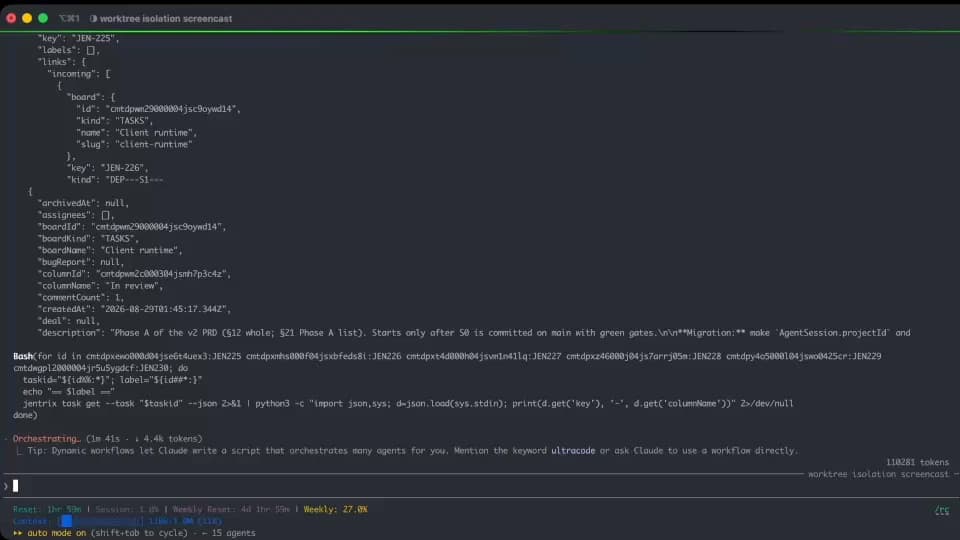
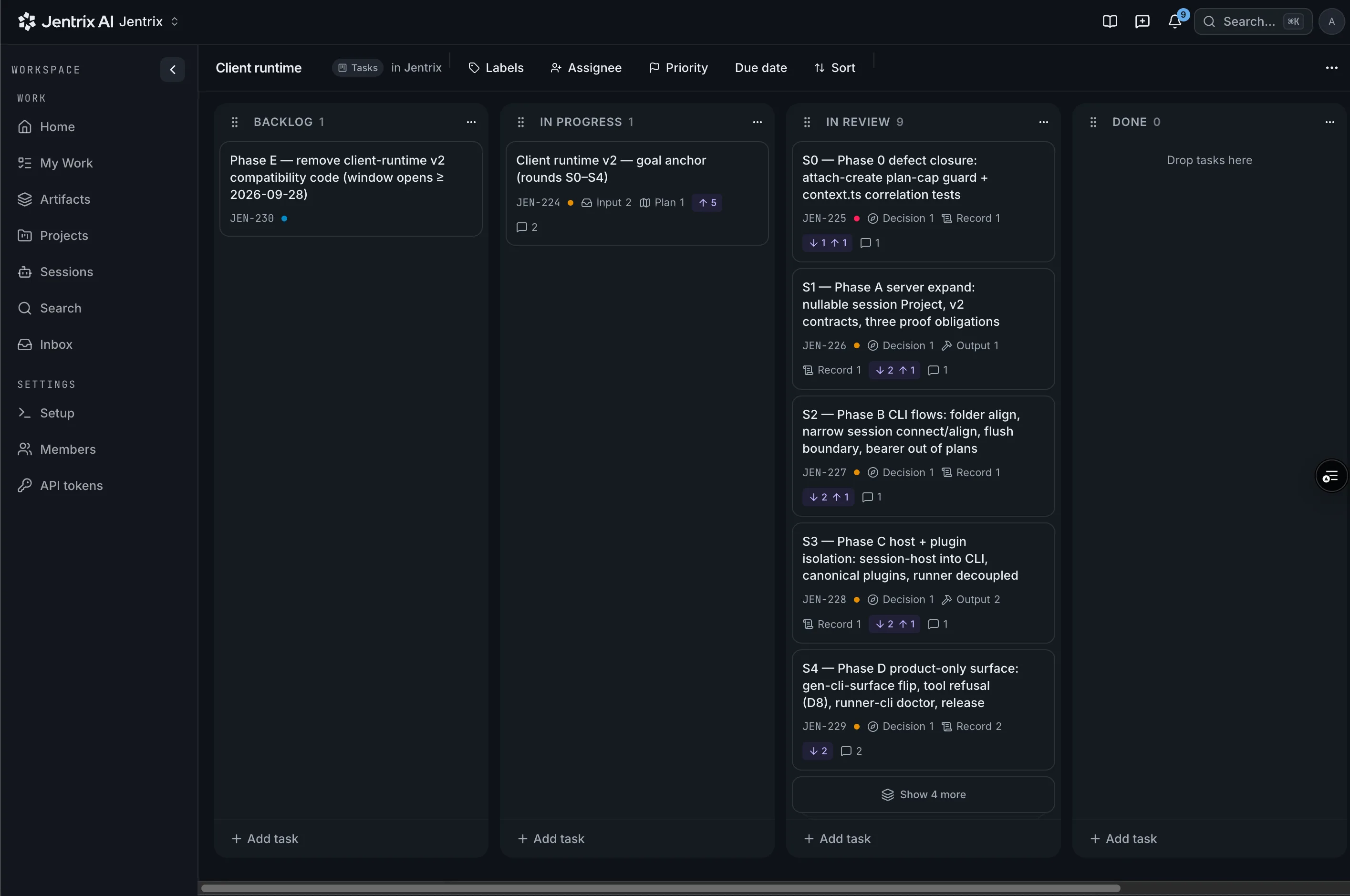
Agent sessions become reviewable task evidence.
Agent work is easy to produce and difficult to review.
An hour of agent work leaves three places to look, and none of them answers the reviewer's question.
The same hour of agent work, reviewable.
from session to board · the record replaces the reread
How it works
01
Connect the task
One prompt in Claude Code, Codex, OpenCode or Pi installs the CLI and aligns the session to a card on your board.
02
Capture the evidence
The request, plan, decisions, outputs, failures and unresolved gaps land on the card automatically, as typed artifacts, while the agent works. Each session closes with a summary of what happened and what's missing.
03
Review the record
Skip the reread. Every task shows what was asked, decided, changed and left open in the same eight sections, so you always know where to look. A reviewer agent can take the first pass, and the full transcript stays one click away.
04
Accept or return
Your team's rules decide who makes the call: a person or a reviewer agent. Jentrix's agent plugins are open source, so you can adapt them to the way your team reviews. A return always carries its reason.
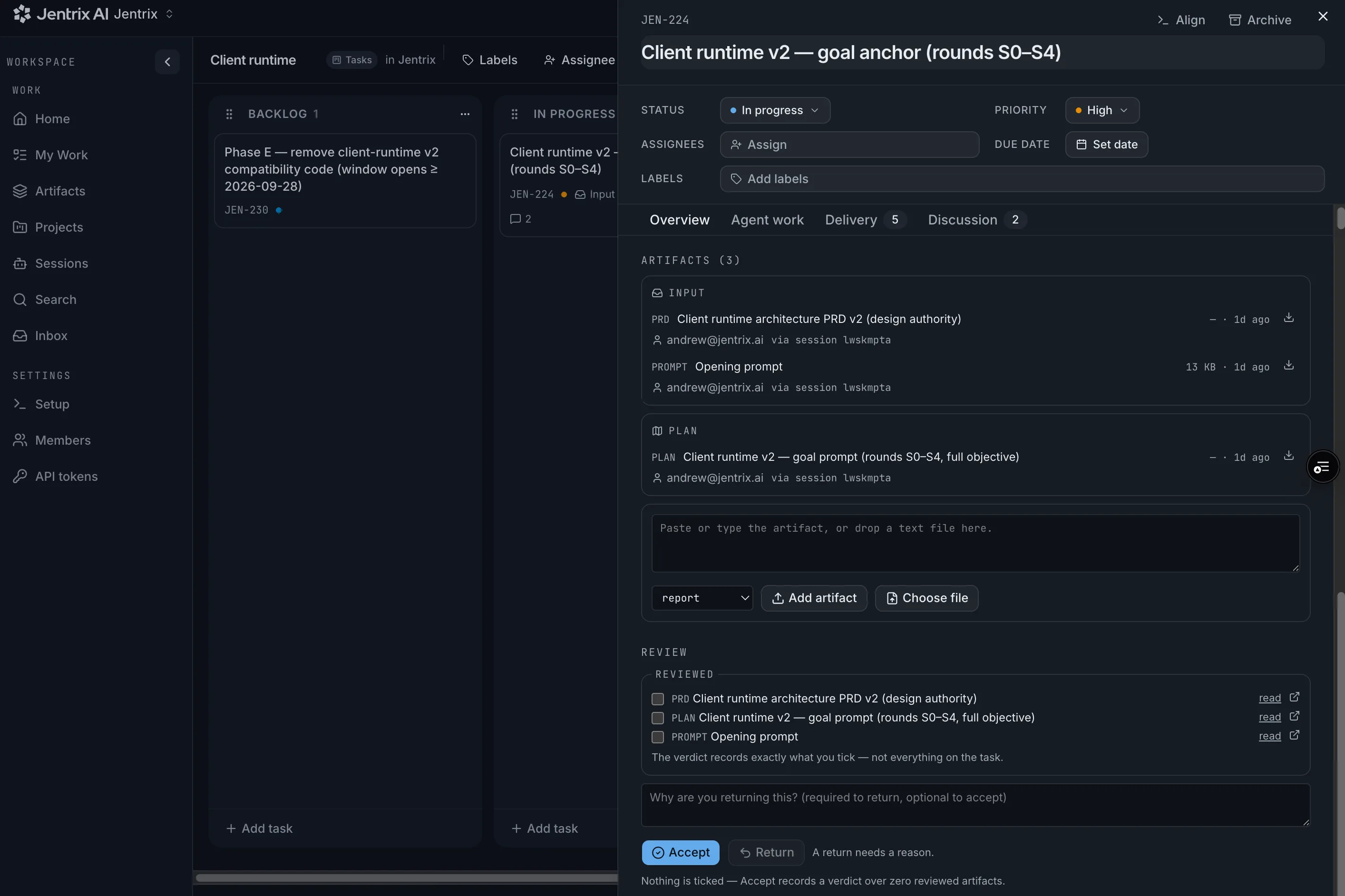
The record a session leaves behind.
This is a real card — JEN-224 — as Jentrix keeps it: the request and the plan as typed artifacts, each attributed to the person and the session that produced it, and a review block whose verdict records exactly what you ticked.
input → plan → decision → output → issue → gap → learning → record
Caught before it was accepted.
The agent reported the task complete. The record said otherwise — so the reviewer returned it with reasons instead of accepting on trust.
An example task record — not a customer's
- IssueOne integration test remains failing.
- GapThe retry policy assumes idempotent downstream behaviour.
- GapA database migration was generated but not executed.
- DecisionThe error-handling strategy changed after context compaction.
- RecordThe session's minutes and cost, on the card.
ReturnedResolve the failed test and validate the idempotency assumption.
GitHub shows the change. Jentrix shows how the work reached it.
A connective review layer between the tools you already run. It replaces none of them.
For developers
Finish a coding-agent session with a review-ready record instead of an unstructured transcript.
For engineering leads
Understand what changed, why it changed, and what remains unresolved — before approving the work.
Platform leadership
See how agents are being used, what they cost, and where review risks accumulate.
Your agent work remains your data.
- Jentrix runs no models and never calls a model provider's API — a repository check proves it on every change. Your agent runs where it always ran.
- Your keys stay yours. The model bill stays with your provider — Jentrix never charges for tokens.
- No training on customer content.
- Recognised secrets are redacted at ingestion — recognised, not infallible, and the record stays private to your workspace.
Free for one person. Access by request, for now.
Ask once; approval lands by email, and from there sign-in is Google or an email link. Every feature, free for one developer — bring your own agent and your own keys, and Jentrix never charges for tokens.
no card · no token charges
The questions that decide it
Do I have to change how I work with my agent?
No. One prompt connects the session, then you keep working in Claude Code, Codex, OpenCode or Pi as usual — the record accumulates on the card while you do.
Does Jentrix run or proxy the model?
No. Jentrix runs no models and never calls a model provider's API. Your agent runs on your own keys, your provider bills you, and Jentrix keeps the evidence.
What happens to secrets in a session?
Recognised secrets are redacted at ingestion, before storage. Redaction is pattern-based — recognised, not infallible — and the record stays private to your workspace.
Can I start today?
Access is currently by request. Ask once and approval lands by email; from there sign-in is Google or an email link, and the free plan covers one developer with every feature.
The review gate for agent-produced work.
Bring your own agent and your own keys. Jentrix keeps the record — free for one person.